Table of Contents
- What Is Toslink?
- Optical Audio vs HDMI Audio
- When to Use Optical Audio
- Frequently Asked Questions[+]
- Optical Audio Cable Types and Construction
- Optical Audio vs Coaxial Digital Audio
- Optical Audio Connectivity and Compatibility
- Optical Audio Limitations and Downsides
- My Recommendation for Optical Audio Usage
- Optical Audio vs Bluetooth Audio
- Troubleshooting Common Optical Audio Problems[+]
Updated July 2026. Toslink and optical audio are the same technology. Toslink is a brand name for the optical audio cable standard developed by Toshiba. The technical name is TOSLINK, which stands for Toshiba Link. Optical audio cables transmit digital audio signals as pulses of light through a fiber optic cable. They are commonly used to connect audio equipment like soundbars, AV receivers, and game consoles.
Optical audio cables use a fiber optic core to transmit digital audio signals using light pulses. This makes them immune to electromagnetic interference, which can affect copper cables. Optical audio cables support up to 5.1 channels of surround sound at bitrates up to 384 kbps. They are limited to 48 kHz sampling rate for multi-channel audio, though they can support 96 kHz for stereo audio. The maximum cable length for optical audio is about 10 meters, though 5 meters is the recommended maximum for reliable performance.
What Is Toslink?
Toslink is a standardized optical fiber connection system developed by Toshiba in 1983. It was originally designed for use with Toshiba CD players but was later adopted as a standard for digital audio connections. The Toslink connector uses a square or trapezoidal plug with a spring-loaded shutter that protects the fiber optic core when not in use. The connector is designed to be inserted in only one orientation, making it easy to connect correctly. Toslink cables consist of a fiber optic core made of plastic or glass, surrounded by a protective jacket. Plastic optical fiber cables are more common and less expensive, while glass optical fiber cables offer better performance over longer distances. The fiber optic core transmits light pulses from an LED or laser diode at one end to a photodiode at the other end.
Optical Audio vs HDMI Audio
The most common comparison for optical audio is against HDMI audio. HDMI carries both video and audio signals, while optical audio carries only audio. HDMI supports higher audio quality, including 7.1 surround sound, Dolby Atmos, and DTS:X. Optical audio is limited to 5.1 surround sound at 384 kbps. HDMI also supports higher sampling rates, up to 192 kHz, while optical audio is limited to 96 kHz for stereo and 48 kHz for multi-channel. For most home theater systems, HDMI is the better choice for audio because it supports higher quality formats and carries both video and audio in a single cable. However, optical audio is still useful for connecting older equipment that doesn’t have HDMI, or for connecting a TV to a soundbar or AV receiver when HDMI ARC is not available.
When to Use Optical Audio
Optical audio is still relevant in several situations. If you have older audio equipment that doesn’t have HDMI, optical audio is the best way to connect it. If your TV doesn’t have HDMI ARC or eARC, optical audio is the best way to send audio from the TV to a soundbar or AV receiver. If you’re experiencing ground loop hum or other interference issues with copper audio cables, optical audio can solve the problem because it’s immune to electromagnetic interference. If you need a simple audio-only connection between two devices, optical audio is a straightforward solution. For most modern home theater systems, HDMI is the preferred connection for audio. However, optical audio remains a useful backup option for compatibility and interference-related situations.
Frequently Asked Questions
Is Toslink the same as optical audio?
Yes, Toslink and optical audio are the same thing. Toslink is the brand name for the optical audio connector standard developed by Toshiba.
Is optical audio better than HDMI?
No, HDMI is better than optical audio for most applications. HDMI supports higher audio quality, more channels, and carries both video and audio in a single cable.
Can optical audio carry 5.1 surround sound?
Yes, optical audio can carry up to 5.1 channels of compressed surround sound, including Dolby Digital and DTS. It cannot carry the newer object-based audio formats like Dolby Atmos.
What is the maximum length for an optical audio cable?
The maximum recommended length for an optical audio cable is about 5 meters, though some cables can work up to 10 meters. Longer cables may experience signal loss and reduced reliability.
Written by James Core, technology writer and audio specialist. Updated July 2026.
Optical Audio Cable Types and Construction
Optical audio cables are available in two main types based on the fiber optic core material. Plastic optical fiber cables use a plastic core that is more flexible and less expensive than glass fiber. They are suitable for cable lengths up to about 5 meters and are the most common type of optical audio cable. Glass optical fiber cables use a glass core that offers better signal transmission over longer distances. They can reliably transmit signals up to about 10 meters, though they are more expensive and less flexible than plastic fiber cables. The fiber optic core is surrounded by a protective jacket, typically made of PVC or other durable material. The connector tip is polished to ensure optimal light transmission. The quality of the polishing affects the signal quality. Higher-quality cables have better-polished tips that transmit more light and provide better signal quality. The connector housing is typically made of plastic or metal. Metal housing connectors are more durable and provide better protection for the fiber optic core. For most home applications, a standard plastic optical fiber cable with plastic connectors is sufficient. For longer runs or more demanding applications, a glass optical fiber cable with metal connectors is recommended.
Optical Audio vs Coaxial Digital Audio
Optical audio and coaxial digital audio are both digital audio connection standards that carry similar audio formats. The main difference is that optical audio uses light pulses through a fiber optic cable, while coaxial digital audio uses electrical signals through a copper cable. Optical audio is immune to electromagnetic interference, making it a better choice in environments with high levels of electrical noise. Coaxial digital audio is susceptible to interference but can carry signals over longer distances, up to about 10 meters for reliable performance. Both standards support the same audio formats, including Dolby Digital and DTS up to 5.1 channels. The maximum bitrate for both is about 384 kbps. The sampling rate for both is limited to 48 kHz for multi-channel audio and 96 kHz for stereo audio. In practice, the audio quality of optical and coaxial digital audio is identical. The choice between them depends on your equipment’s available connections and your specific installation requirements. Optical audio is the better choice if you need to avoid ground loop hum or other interference issues. Coaxial digital audio is the better choice if you need a slightly longer cable run or if your equipment doesn’t have an optical input.
Optical Audio Connectivity and Compatibility
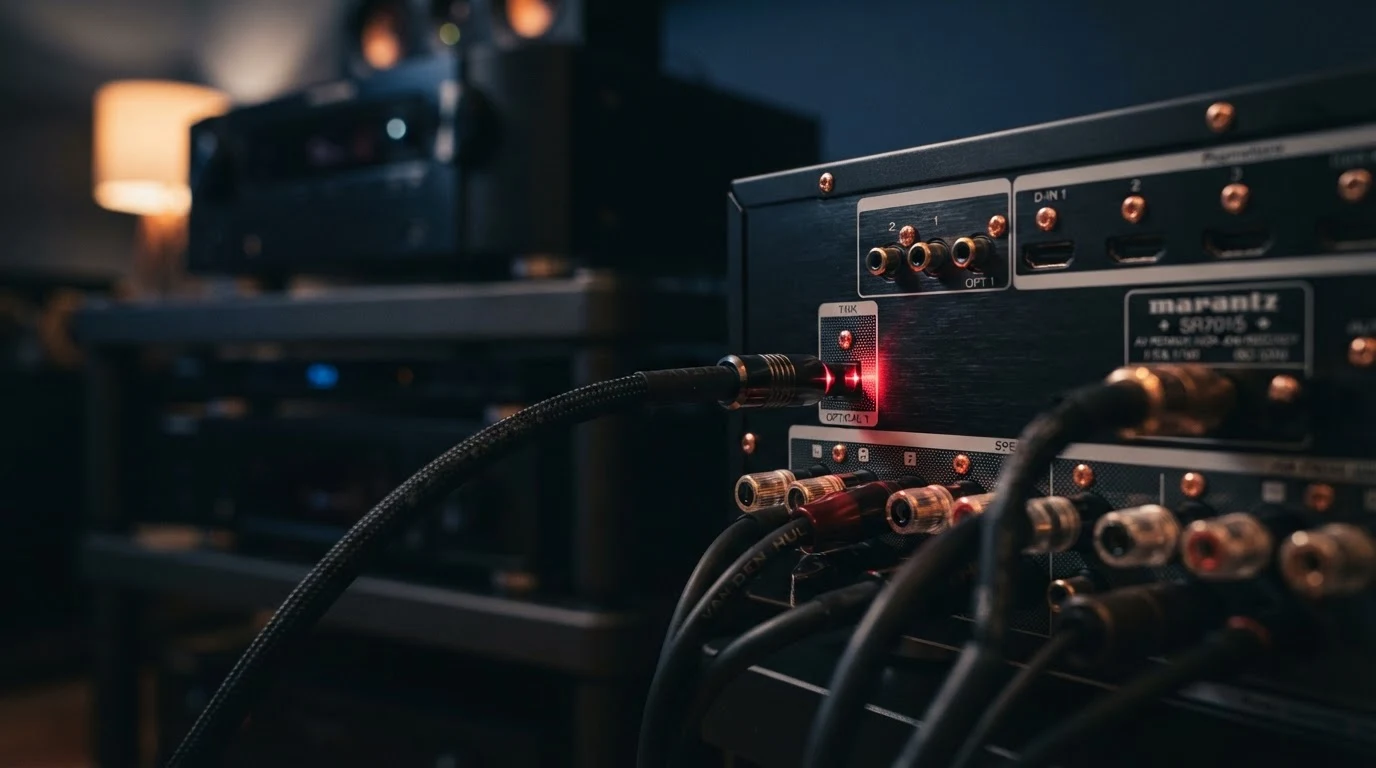
Optical audio connections are found on a wide range of audio equipment. Most modern TVs have an optical audio output for connecting to a soundbar or AV receiver. Soundbars and AV receivers typically have at least one optical audio input. Game consoles like PlayStation and Xbox have optical audio outputs for connecting to audio systems. Some computers and media players also have optical audio outputs. The optical audio connector is standardized, so any Toslink cable will work with any Toslink-equipped device. However, the connector shape can vary. Some devices use a standard square Toslink connector, while others use a mini-Toslink connector that looks like a 3.5mm headphone jack. Mini-Toslink connectors are commonly found on computers and portable devices. You can use a mini-Toslink to standard Toslink adapter cable to connect mini-Toslink devices to standard Toslink inputs. The compatibility of optical audio is excellent because it has been a standard for decades. Most audio equipment manufactured since the 1990s supports optical audio connections.
Optical Audio Limitations and Downsides
While optical audio is a useful connection standard, it has several limitations. The most significant limitation is the maximum supported audio quality. Optical audio is limited to 5.1 channels of compressed surround sound at 384 kbps. It cannot carry the newer object-based audio formats like Dolby Atmos and DTS:X. It also cannot carry uncompressed multi-channel audio like PCM 5.1 or 7.1. The maximum cable length is another limitation. Optical audio cables are limited to about 5 to 10 meters, depending on the cable quality. This is sufficient for most home installations but may be limiting for larger rooms or installations that require long cable runs. The connector is also somewhat fragile. The fiber optic core can be damaged if the cable is bent too sharply or if the connector is inserted at an angle. The spring-loaded shutter on the connector can also break if mishandled. Despite these limitations, optical audio remains a useful connection standard for digital audio. It provides reliable, interference-free audio transmission for most home audio applications.
My Recommendation for Optical Audio Usage
Based on my experience with audio equipment and installations, here are my recommendations for optical audio. Use optical audio when your equipment doesn’t have HDMI, or when you need to avoid ground loop interference. Use optical audio for connecting a TV to a soundbar or AV receiver when HDMI ARC is not available. Use optical audio for connecting older game consoles or media players to an audio system. Choose HDMI over optical audio whenever possible, as HDMI supports higher audio quality and more channels. For most home theater systems, HDMI is the preferred connection for audio, with optical audio as a backup option. If you’re setting up a new system, choose equipment with HDMI ARC or eARC for the best audio performance. If you’re using optical audio, use a quality cable with metal connectors and glass fiber for the best performance. Keep the cable length under 5 meters for reliable signal transmission.
Optical Audio vs Bluetooth Audio
Another common comparison is between optical audio and Bluetooth audio. Optical audio provides a wired connection that delivers consistent, uncompressed audio quality. Bluetooth audio is a wireless connection that can introduce compression and latency depending on the codec used. Optical audio is limited to 5.1 channels at 384 kbps, but the signal is delivered consistently without dropouts or interference. Bluetooth audio can support higher quality codecs like aptX HD and LDAC, but the signal quality can be affected by distance, obstacles, and interference from other wireless devices. Optical audio has no noticeable latency, making it ideal for watching video where lip-sync is important. Bluetooth audio can introduce latency, especially with standard codecs. This can cause lip-sync issues when watching video. For home theater applications, optical audio is the better choice because it provides consistent quality and no latency. For portable or convenience-oriented applications, Bluetooth audio is the more practical choice. Some modern soundbars and AV receivers support both connections, allowing you to choose the best option for each situation.
Troubleshooting Common Optical Audio Problems
The most common problem with optical audio connections is no sound. This is usually caused by the optical cable not being fully inserted. Make sure the connector clicks into place and the spring-loaded shutter opens fully. If there’s still no sound, check the audio settings on your source device. Make sure the audio output is set to optical or digital output, not HDMI or Bluetooth. The second most common problem is intermittent sound or dropouts. This is usually caused by a damaged optical cable or a loose connection. Try reseating the cable at both ends. If the problem persists, try a different cable. The third most common problem is audio that cuts out during loud passages. This is usually caused by the audio format not being properly supported. Check the audio format settings on your source device. Make sure the output is set to Dolby Digital or PCM, not Dolby Atmos or DTS:X. The fourth most common problem is a bent or broken connector. Inspect the connector for damage. If the fiber optic tip is scratched or dirty, clean it with a lint-free cloth and isopropyl alcohol. If the connector is physically damaged, replace the cable. Most optical audio problems are caused by physical issues with the cable or connector, not by the audio format or equipment.
Related posts