Table of Contents
- What Is Dolby Digital?
- What Is Dolby Atmos?
- Dolby Digital vs Dolby Atmos: Key Differences
- Do You Need Dolby Atmos?
- Frequently Asked Questions[+]
- Dolby Atmos Speaker Configurations
- Dolby Atmos on Streaming Services vs Blu-ray
- Dolby Atmos for Gaming
- Setting Up Your System for Dolby Atmos
- My Recommendation
- Dolby Atmos vs DTS:X
- Dolby Atmos Height Virtualization[+]
Updated July 2026. Dolby Digital and Dolby Atmos are both audio technologies developed by Dolby Laboratories, but they represent different generations of sound technology. Dolby Digital is a channel-based surround sound format that was introduced in 1992. Dolby Atmos is an object-based audio format introduced in 2012 that adds height channels for a three-dimensional sound experience. This article explains the differences in detail.
Dolby Digital supports up to 5.1 channels of surround sound: left, center, right, left surround, right surround, and subwoofer. The audio is mixed to specific channels, and the receiver plays each channel through the corresponding speaker. Dolby Atmos supports up to 7.1.4 channels or more, adding height speakers that create a sense of sound coming from above. Dolby Atmos also uses object-based audio, which allows sound mixers to place audio objects in a three-dimensional space rather than assigning them to specific channels.
What Is Dolby Digital?
Dolby Digital, also known as AC-3, is a lossy audio compression format that supports up to 5.1 channels of surround sound. It was introduced in 1992 for use with film prints and later adopted for DVDs, broadcast television, and video games. Dolby Digital uses channel-based audio, where each sound is assigned to a specific channel. The bitrate ranges from 64 kbps for a single mono channel to 640 kbps for full 5.1 surround sound. Dolby Digital is still widely used today, particularly in broadcast television, DVDs, and older media formats. The audio quality of Dolby Digital at 448 kbps is considered good for most applications, but it can sound compressed compared to lossless formats or newer object-based formats.
What Is Dolby Atmos?
Dolby Atmos is an object-based audio format that was introduced in 2012. Instead of assigning sounds to specific channels, Atmos allows sound mixers to place audio objects in a three-dimensional space. The receiver uses its speaker configuration to render those objects in the correct position, including height channels that create a sense of sound coming from above. Dolby Atmos supports up to 7.1.4 channels or more, with the .4 representing four height channels. Atmos can also be used with soundbars that use virtual height processing to simulate the effect. Dolby Atmos is available on Blu-ray discs, streaming services, and some video games. The audio quality of Dolby Atmos is significantly better than Dolby Digital when played on a system with height speakers. The object-based audio provides a more immersive and realistic sound experience.
Dolby Digital vs Dolby Atmos: Key Differences
The most important difference between Dolby Digital and Dolby Atmos is the audio technology. Dolby Digital uses channel-based audio, where sounds are assigned to specific speakers. Dolby Atmos uses object-based audio, where sounds are placed in three-dimensional space. Dolby Digital supports up to 5.1 channels. Dolby Atmos supports up to 7.1.4 channels or more, including height channels. Dolby Digital is limited to a bitrate of 640 kbps. Dolby Atmos can use higher bitrates for better audio quality. Dolby Digital is compatible with virtually all audio equipment. Dolby Atmos requires equipment that specifically supports it. Dolby Digital is available on DVDs, broadcast TV, and older content. Dolby Atmos is available on Blu-ray discs, streaming services, and newer content.
Do You Need Dolby Atmos?
Whether you need Dolby Atmos depends on your home theater system and your listening preferences. If you have a basic soundbar or TV speakers, Dolby Atmos will not provide a noticeable improvement over Dolby Digital. The Atmos effect requires height speakers or a soundbar that simulates height channels. If you have a home theater system with multiple speakers, Dolby Atmos can provide a significant improvement in immersion. The height channels create a sense of sound coming from above, which is particularly effective for movies with overhead sound effects like rain, helicopters, or flying objects. If you’re building a new home theater system, consider including Dolby Atmos support. The additional cost for Atmos-capable speakers is modest, and the improvement in audio quality is significant. If you’re using a soundbar, consider a model with Dolby Atmos support. Many modern soundbars use virtual height processing to simulate the Atmos effect without requiring ceiling speakers.
Frequently Asked Questions
Is Dolby Atmos worth it?
Dolby Atmos is worth it if you have a home theater system with multiple speakers or a soundbar that supports it. The height channels provide a more immersive experience. On basic systems, the difference is minimal.
Can I get Dolby Atmos through a soundbar?
Yes, many modern soundbars support Dolby Atmos. Some use dedicated up-firing speakers that bounce sound off the ceiling. Others use virtual processing to simulate height effects. The experience varies by model.
Do I need special speakers for Dolby Atmos?
Yes, Dolby Atmos requires height speakers or up-firing modules for the full effect. You can also use ceiling-mounted speakers. Some soundbars include built-in Atmos processing for a simulated effect.
Is Dolby Atmos available on streaming services?
Yes, Dolby Atmos is available on Netflix, Amazon Prime Video, Disney Plus, and Apple TV Plus. The quality is lower than Blu-ray Atmos due to streaming compression, but still provides a noticeable improvement.
Written by James Core, technology writer and home theater specialist. Updated July 2026.
Dolby Atmos Speaker Configurations
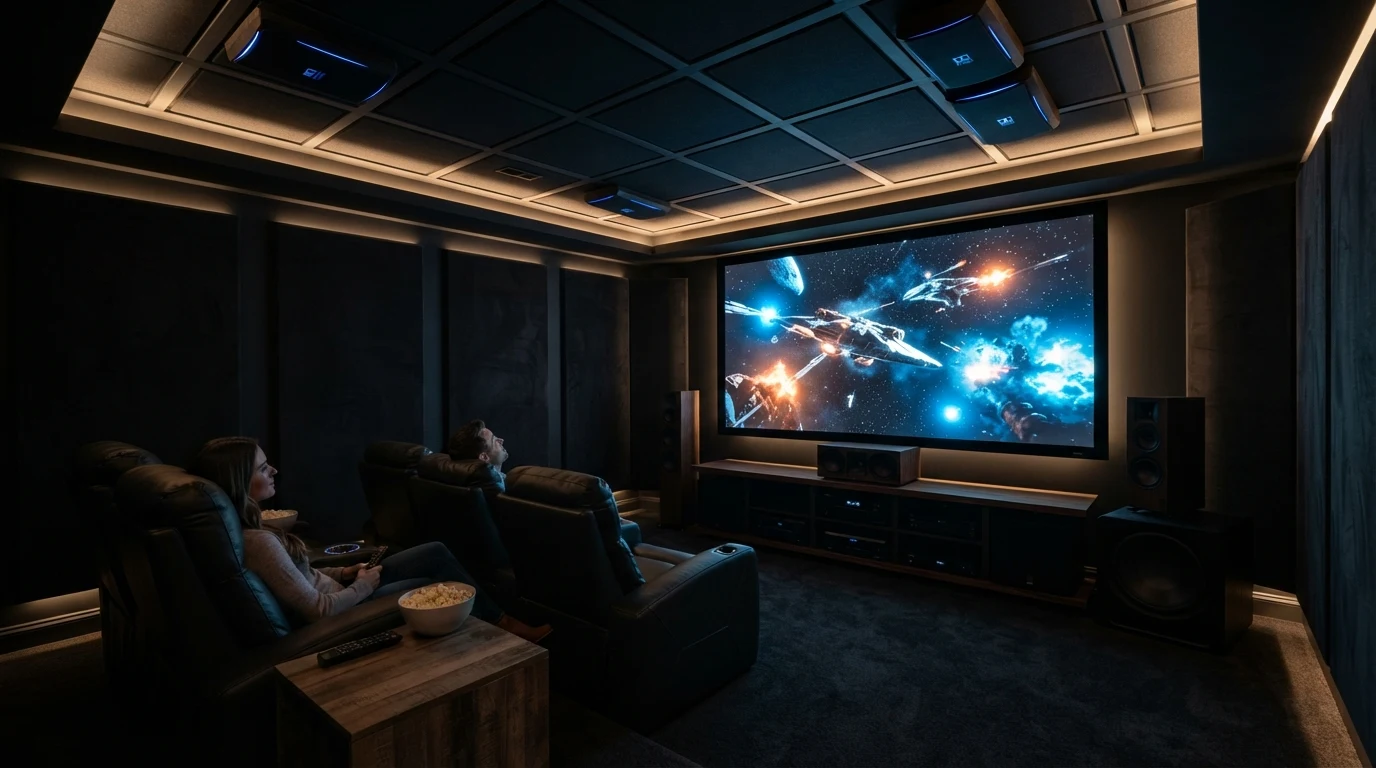
Dolby Atmos supports several speaker configurations. The most common is 5.1.2, which adds two height speakers to a standard 5.1 setup. The 5.1.4 configuration adds four height speakers for more precise overhead effects. The 7.1.4 configuration adds two rear surround speakers to the 5.1.4 setup for even more immersive sound. The height speakers can be placed on the ceiling, mounted high on the front and rear walls, or placed on top of existing speakers as up-firing modules. Up-firing modules bounce sound off the ceiling to create the illusion of height. The effectiveness of up-firing modules depends on the ceiling height and material. Flat, non-absorbent ceilings between 8 and 12 feet work best. Ceiling-mounted speakers provide the most accurate Atmos effect because they direct sound straight down from the ceiling. In-ceiling speakers are the most discreet option, as they are recessed into the ceiling and are nearly invisible. For most home theater systems, a 5.1.2 configuration provides a noticeable Atmos effect without requiring a significant investment in additional speakers. The two height channels are sufficient for most content, and the upgrade from 5.1 to 5.1.2 is relatively affordable.
Dolby Atmos on Streaming Services vs Blu-ray
The quality of Dolby Atmos varies significantly between streaming services and Blu-ray discs. Streaming services use compressed Dolby Digital Plus as the base format for Atmos, with a bitrate typically between 192 kbps and 768 kbps. Blu-ray discs use lossless Dolby TrueHD as the base format for Atmos, with a bitrate typically between 3 Mbps and 6 Mbps. The higher bitrate of Blu-ray Atmos provides better audio quality with more detail, better dynamics, and a more immersive soundstage. The difference is noticeable on high-quality home theater systems with good speakers. On a basic soundbar or entry-level system, the difference between streaming Atmos and Blu-ray Atmos is less noticeable. The number of Atmos titles available on streaming services is much larger than on Blu-ray. Most new movies and TV shows on Netflix, Amazon Prime Video, and Disney Plus are available with Atmos. Blu-ray Atmos is limited to select releases, typically major movie releases and premium television shows. For the best Atmos experience, watch Blu-ray discs on a high-quality home theater system. For convenience and variety, streaming Atmos is an excellent alternative.
Dolby Atmos for Gaming
Dolby Atmos is also available for gaming on Xbox and PC. The Xbox Series X and S support Dolby Atmos for gaming, as do Windows PCs with the Dolby Access app. Atmos for gaming provides a more immersive experience with better spatial awareness. In games that support Atmos, you can hear the direction and distance of sounds more accurately, which can provide a competitive advantage in multiplayer games. The number of games that support Dolby Atmos is growing but still limited. Most major game releases on Xbox support Atmos, and the list of PC games with Atmos support is expanding. For the best gaming audio experience, use a Dolby Atmos headset or a home theater system with Atmos support. Atmos for headphones uses virtual processing to simulate the Atmos effect through stereo headphones, providing a convincing spatial audio experience without requiring multiple speakers.
Setting Up Your System for Dolby Atmos
Setting up your system for Dolby Atmos requires compatible equipment. You need an AV receiver or soundbar that supports Dolby Atmos decoding. You need speakers that can reproduce the height channels. You need content that is mixed in Dolby Atmos. Most modern AV receivers from brands like Denon, Yamaha, Sony, and Onkyo support Dolby Atmos. The receiver must be able to decode the Atmos signal and route the height channels to the appropriate speakers. Atmos-capable soundbars are also available from brands like Sonos, Samsung, LG, and Sony. These soundbars use up-firing speakers or virtual processing to create the Atmos effect. The setup process for Atmos is straightforward. Connect your source devices to the receiver via HDMI. Connect the speakers to the receiver. Run the receiver’s automatic speaker calibration to set the correct speaker levels and distances. Select the Atmos audio track on your source device. The receiver will automatically detect the Atmos signal and switch to the correct mode. For the best results, follow the Dolby Atmos speaker placement guidelines for your specific configuration.
My Recommendation
Based on my experience with home theater systems, I recommend upgrading to Dolby Atmos if you have a multi-speaker system and enjoy immersive audio. The improvement in sound quality is significant, particularly for movies with overhead effects. The cost of upgrading to Atmos is modest if you already have a 5.1 or 7.1 system. Adding two height speakers or up-firing modules can cost as little as $200 to $500. If you’re building a new system from scratch, include Atmos support from the beginning. The additional cost is minimal compared to the overall system cost, and the improvement in audio quality is substantial. For soundbar users, consider an Atmos-capable model if you want the best possible audio experience from a single speaker. The virtual Atmos processing on modern soundbars is surprisingly effective.
Dolby Atmos vs DTS:X
Dolby Atmos is not the only object-based audio format. DTS:X is a competing format from DTS that offers similar object-based audio capabilities. Both formats support height channels and object-based audio. The main difference is the content availability and equipment support. Dolby Atmos has wider content availability, with more movies, TV shows, and games available in Atmos format. DTS:X has a smaller content library but is included on many Blu-ray discs. Most AV receivers support both formats, so the choice between them is primarily determined by the content you watch. Both formats provide excellent audio quality when played on a compatible system. The difference between them is subtle and most listeners cannot tell them apart in a blind test. If you’re building a home theater system, choose equipment that supports both Atmos and DTS:X for maximum compatibility. Most modern AV receivers support both formats, so this is rarely a limiting factor.
Dolby Atmos Height Virtualization
For systems without physical height speakers, Dolby Atmos Height Virtualization technology can simulate the Atmos effect using standard speakers. The technology uses psychoacoustic processing to create the illusion of height without requiring dedicated height speakers. Height Virtualization is available on many modern AV receivers and soundbars. The effectiveness of Height Virtualization varies by system and room acoustics. On a high-quality soundbar with multiple drivers, the virtual height effect can be surprisingly convincing. On a basic stereo system, the effect is less noticeable. Height Virtualization is a good option for people who want to experience Atmos without installing ceiling speakers or adding height modules. The technology is not as effective as physical height speakers, but it provides a noticeable improvement over standard Dolby Digital. For the best Atmos experience, use physical height speakers. For a convenient and affordable Atmos experience, Height Virtualization is a good alternative.
Understanding the differences between Dolby Digital and Dolby Atmos helps you make informed decisions about your home theater system and ensures you get the best audio experience from your content.