
Table of Contents
- Component vs. RCA cable at a glance
- So are component and RCA cables the same?
- What is an RCA cable?
- What is a component cable?
- Both carry an analog signal
- Which connectors carry component video?
- When should you use each one?
- What I noticed testing them side by side
- Do component and RCA cables carry audio?
- Component video, HD, and copy protection
- Troubleshooting a component or composite connection
- Component vs. RCA cable FAQ[+]
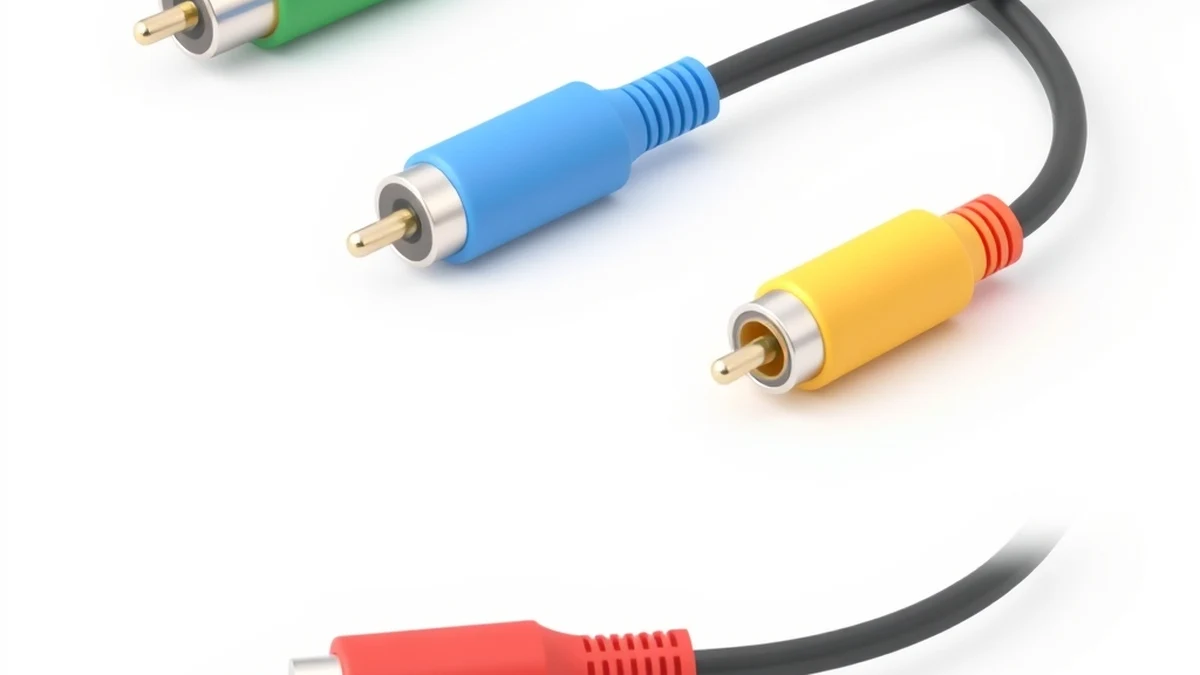
No, a component cable and an RCA cable are not the same thing, even though people use the names as if they were. “RCA” describes a plug (the round metal pin you push into a color-coded jack). “Component” describes a signal format that splits video across three separate lines. A component cable almost always uses RCA plugs, so the confusion is understandable, but a single yellow RCA cable and a red-green-blue component set do very different jobs. Here is the plain-English breakdown of component vs. RCA cable, why they get mixed up, and which one you actually want.
Component vs. RCA cable at a glance
| Component video (YPbPr) | RCA / composite video | |
|---|---|---|
| What it is | A 3-line video format | A connector type (and a 1-line video format) |
| Plugs | 3 RCA plugs: green (Y), blue (Pb), red (Pr) | 1 RCA plug for video (yellow), usually + 2 for audio |
| Video quality | High: up to 1080i/1080p, progressive scan | Standard-definition only (480i) |
| How the signal travels | Split into brightness + two color-difference channels | All video crammed into one wire |
| Best for | DVD/Blu-ray players, older HD consoles, set-top boxes | VCRs, retro game consoles, legacy gear |
| Signal type | Analog | Analog |
So are component and RCA cables the same?
Short version: a component cable is three RCA cables bundled together, but an “RCA cable” on its own usually means the single-wire composite video plug. Both use the same style of round connector, which is why the terms blur. The honest comparison is not “component vs. RCA” at all. It is component vs. composite, because those are the two video formats. RCA is just the plug that happens to carry both.
I keep a drawer of these cables for testing old hardware, and the giveaway is the count: three colored video plugs on each end means component, one lonely yellow plug means composite. If you only remember one thing, remember that.
What is an RCA cable?
An RCA cable is the classic connector with a single solid metal pin surrounded by a metal ring. RCA stands for Radio Corporation of America, the company that first developed the plug to feed audio from phonographs into radios. It later took on video duty too.
When someone says “RCA cable” for video, they almost always mean the yellow composite cable. It stuffs the entire video signal (brightness and both color channels) down one wire. That is convenient, but squeezing everything into a single line degrades the picture. Composite maxes out at standard definition, roughly 480i, and it is prone to color bleed and dot crawl on detailed images. Add radio-frequency interference from a cheap cable and it looks worse still. The yellow plug is usually paired with red and white RCA plugs for stereo audio, which is where the familiar three-plug “red, white, yellow” set comes from.
What is a component cable?
A component cable splits the video signal into three separate lines instead of one, and that is the whole reason it looks sharper. The format is called YPbPr:
- Y (green plug) carries luminance, the brightness and detail of the picture.
- Pb (blue plug) carries the blue color-difference channel.
- Pr (red plug) carries the red color-difference channel.
Because the picture is not compressed into one wire, component video keeps more detail and handles high definition. It supports 480p, 720p, 1080i and, on many devices, 1080p, plus progressive-scan images with cleaner edges and less noise. That is a real step up from the single yellow composite plug. The trade-off is three video cables to plug in instead of one, and the colors on both ends must match.

Both carry an analog signal
Component and composite are both analog formats, which is what they have in common under the hood. An analog signal is a continuous wave that varies over time, unlike a digital signal such as HDMI that sends data as 0s and 1s. Because analog travels as a waveform, it can pick up interference from nearby electronics and has less bandwidth than digital. Component video hides those weaknesses far better than composite because it never crushes everything into one wire, but neither format matches the clean, lossless transfer of an HDMI or DisplayPort connection. If you want to see the difference explained visually, this short clip walks through component and composite video.
Which connectors carry component video?
Component video is a format, not a specific plug, so it can travel over more than just RCA connectors. You will run into three:
- RCA: the common three-plug version on consumer TVs and players. This is the one most people picture.
- VGA: the 15-pin PC connector can carry component video when both devices are configured for it (pins 1, 2 and 3 carry the signals, with grounds on 6, 7 and 8). Common on computer monitors and projectors.
- BNC: a twist-lock “bayonet” connector used in professional and high-end gear, where a locking grip matters.
- SCART: the big 21-pin European connector on older PAL-region TVs and consoles. It most often carries RGB video, which is a related but different three-line analog format from YPbPr, and only some devices send true component through it.
So a component connection does not have to use RCA plugs at all, which is another reason “component equals RCA” is not quite right. It is also worth knowing that component is not the only three-plug analog format you might meet. S-Video sits between composite and component: it splits brightness and color onto two channels through one round DIN plug, so it beats composite but falls short of full component quality.
When should you use each one?
Use a component cable whenever the gear supports it and you want the best analog picture: DVD and Blu-ray players, older HD consoles like the PS3, Xbox 360 and Wii, and many set-top boxes. It was the default HD analog cable before HDMI took over.
Use a composite (single RCA) cable for legacy equipment that offers nothing better: VCRs, retro consoles like the SNES or N64, camcorders and old cable boxes. Plenty of modern TVs still include one composite input for exactly this reason. If a device gives you the choice between the two, pick component every time.
And if the device has an HDMI port, use HDMI. It is digital, carries audio and video on one cable, and beats both analog options on quality. Component and composite only make sense when HDMI is not available.
What I noticed testing them side by side
Running a PS2 into the same TV over composite and then component, the jump is obvious the second you switch. On composite, text and HUD edges shimmer and colors smear slightly. On component, the same menu looks stable and the colors sit still. On a DVD player at 480p, component cleaned up the jagged edges I had lived with for years on the yellow plug. The one thing that surprised me: a well-made composite cable on a short run still looks fine on an old CRT, so for retro gear on a tube TV the upgrade matters less. On a modern flat panel, component wins clearly.
Cable build quality matters more than the price sticker suggests. For short runs, an inexpensive cable is fine. For long runs behind a wall, spending a little more on thicker shielding and non-corrosive plating pays off in fewer dropouts.
Do component and RCA cables carry audio?
Neither component video nor composite video carries sound on its own. Both are video-only formats, so you always need a separate audio connection. This is where the color coding trips people up. A typical composite kit has three plugs, and only the yellow one is video. The red and white plugs are the left and right stereo audio channels.
Component gear works the same way. The green, blue and red plugs handle video, and you still run red and white RCA plugs (or a digital audio cable) for sound. On a lot of TVs the component video jacks and the composite video jack even share the same red and white audio inputs, which is why a five-jack row on the back of a set can feel confusing. If you want cleaner sound than analog RCA, an optical or coaxial digital audio run is worth it. I compared the two in optical vs. RCA cables, and optical wins for surround formats.
Component video, HD, and copy protection
Here is a catch that surprises people who dig out an old component cable to watch a Blu-ray in HD. Component can carry high definition, but the movie studios did not always let it. Blu-ray discs support a flag called the Image Constraint Token, and when it is set the player is allowed to downscale the analog component output to 540p instead of full 1080p. Most discs never triggered it, but the option existed.
There was also an “analog sunset” written into the Blu-ray licensing rules. Players made after roughly 2011 were required to limit analog output, and players sold after late 2013 dropped analog HD over component entirely. Streaming boxes went further and mostly ship with HDMI only. The practical takeaway: component is great for HD from older DVD and Blu-ray players and HD game consoles, but do not expect a modern 4K streaming stick or a recent Blu-ray deck to hand you a sharp HD picture through the red-green-blue plugs. For anything current, HDMI or another digital route is the answer. If your only spare input is an aerial-style jack, I walked through that path in coaxial vs. HDMI.
Troubleshooting a component or composite connection
Because component and composite share the same RCA plug, most connection problems come down to plugging a cable into the wrong jack. A few patterns I run into again and again:
- Green-tinted or magenta picture: the color-difference plugs are swapped. Make sure green goes to green (Y), blue to blue (Pb) and red to red (Pr). Reversing Pb and Pr shifts the whole picture toward the wrong hue.
- Black-and-white or rolling picture: often a PAL/NTSC mismatch, or the TV input is set to the wrong format. Check the source’s video output menu.
- A picture, but soft and low-res: a single yellow composite cable is plugged into the green component jack. It works because the plug fits, but you only get standard definition. Use all three video plugs for real component.
- No picture at all: the TV input is set to the wrong source, or the audio reds are in the video jacks. Trace each plug by color and confirm the input label on the TV.
Nine times out of ten it is a color mismatch or the wrong input selected, not a bad cable. Swap the input first before you blame the wire.
Component vs. RCA cable FAQ
Is a component cable the same as an RCA cable?
Not exactly. A component cable is three RCA-plug cables bundled together for video, while “RCA cable” on its own usually means the single yellow composite video plug. They share the RCA connector but carry the signal differently.
Can I plug a composite (yellow) cable into a component (green) input?
Physically yes, because both use RCA plugs, and you may get a picture. But it will be the low-quality composite signal, not true component, so the image will not improve. Match the colors on both ends for a correct component connection.
Which is better, component or composite?
Component is better. It supports high definition up to 1080i/1080p and progressive scan, while composite is stuck at standard definition and looks softer with more color artifacts.
Is component video better than HDMI?
No. HDMI is digital and lossless, carries audio and video together, and supports higher resolutions. Component is the best analog option, but use HDMI whenever the device has it.
Why does my component cable have red, green and blue plugs but my RCA cable is red, white and yellow?
The red-green-blue set is component video (Y, Pb, Pr). The red-white-yellow set is composite: yellow for video, red and white for stereo audio. Same plug style, different jobs.
Conclusion
Component and RCA cables are related but not identical. RCA is the plug; component and composite are the two analog video formats that ride on it. A component cable uses three RCA plugs to split the signal for a sharper HD picture, while a plain RCA (composite) cable uses one plug and stays in standard definition. Pick component when your gear supports it, keep a composite cable around for legacy devices, and reach for HDMI whenever it is on offer.
Related posts


