Table of Contents
- What separates a professional system from a consumer one
- The costs nobody puts on the box
- Weather, cabling, and where each one actually lives
- Setting up a system that keeps recording
- Privacy, cloud accounts, and who else can see your feed
- When a consumer camera is the better buy
- Professional Surveillance Cameras FAQ[+]
Professional surveillance cameras record to a local recorder, keep working when the internet drops, and are built to sit outside for years. Consumer security cameras are cheaper, install in an afternoon, and push alerts to your phone, but most depend on Wi-Fi and a cloud plan. The right pick comes down to what you are protecting and how much fiddling you will tolerate.
What separates a professional system from a consumer one
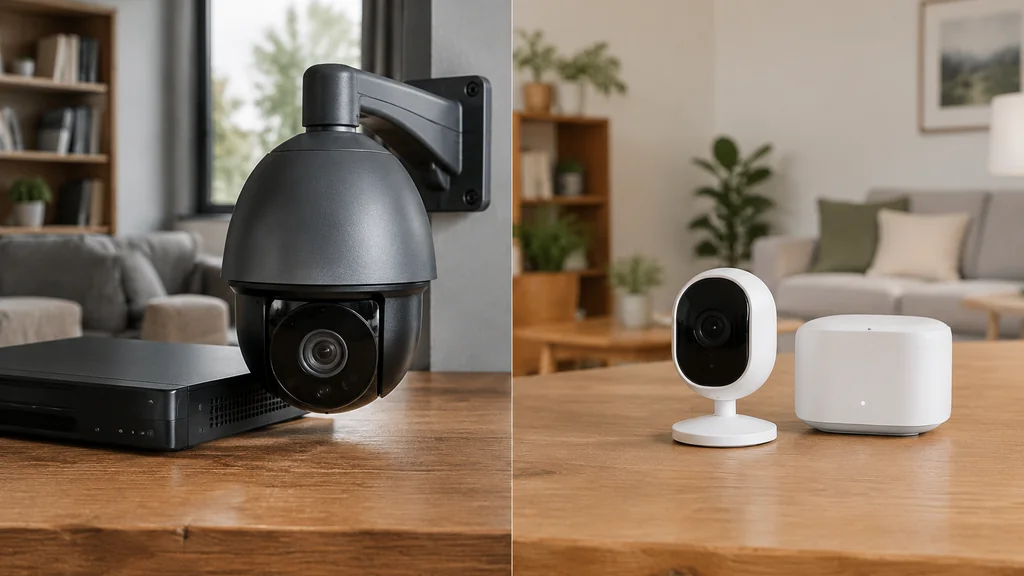
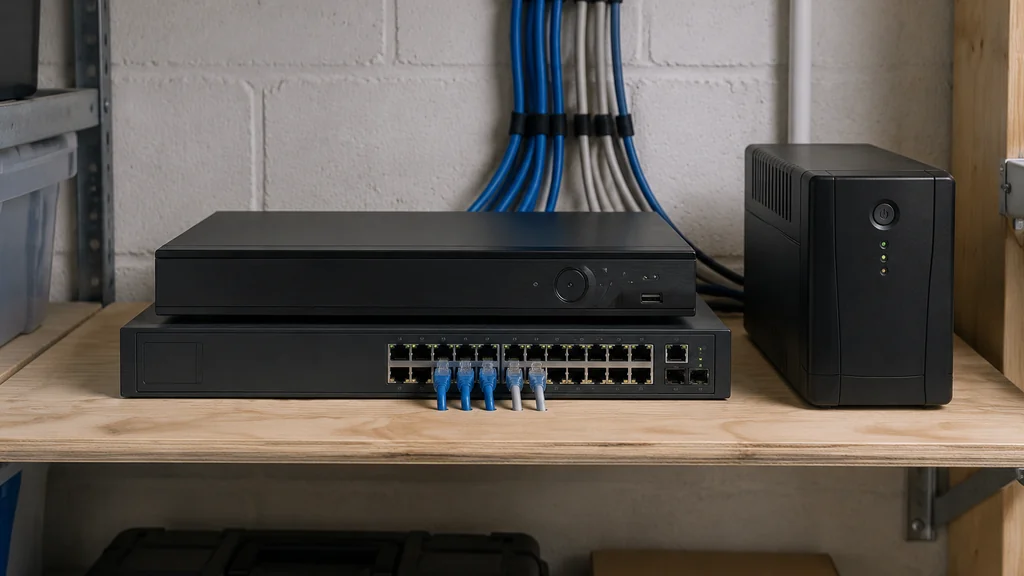
A professional setup runs a video surveillance recorder on your own shelf. Cameras connect over a wired network, footage lands on a hard drive you own, and the system keeps recording through a power cut if the recorder sits on a battery backup. Nobody can switch off your access by changing a subscription term.
A consumer camera sends video to a company server. That is convenient, and it is also the part that fails first. When the router reboots, a camera may reconnect after the network returns. Whether motion during the outage is recorded depends on the camera and recording setup.
- Storage is a local drive you control or a cloud account you rent.
- Power comes from PoE over one cable or a USB adapter and a wall outlet.
- Network uses wired Ethernet or Wi-Fi.
- Setup takes more work for a professional system; consumer cameras are generally quicker to install.
The costs nobody puts on the box
Consumer cameras win on the sticker price every time. A single camera costs less than a professional one, and you can add a second later without buying a recorder. Storage is the line item that decides the long-run cost.
Some consumer cameras require a subscription for features beyond a live view, while others offer local storage without a subscription. Plans vary, so check what is included before comparing ongoing costs.
Weather, cabling, and where each one actually lives
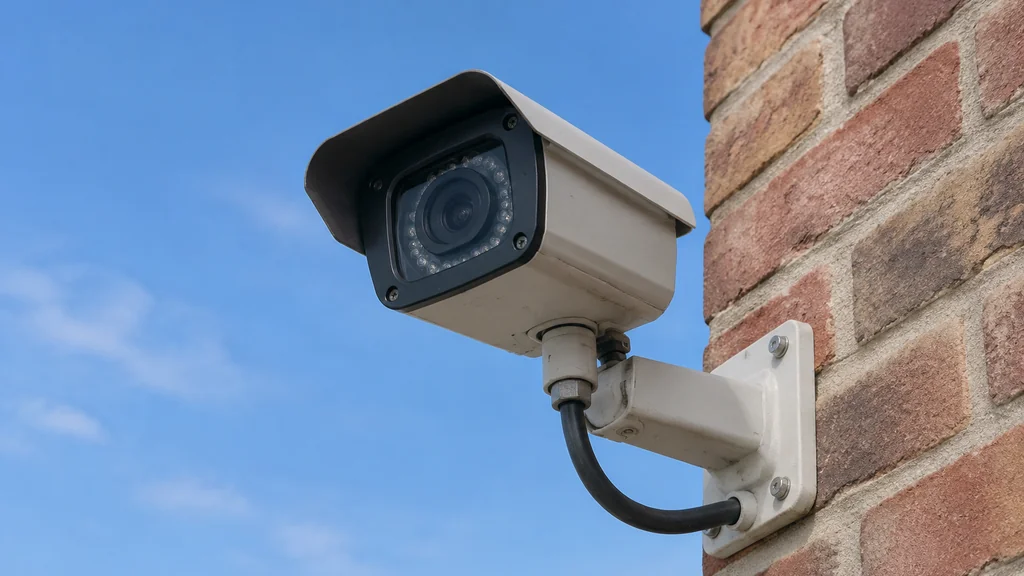
Professional housings use metal bodies, sealed connectors, and a sun shield. The cable enters through a sealed gland, helping the cameras last longer outside than housings with loose plugs. If you are mounting under a deep eave in a mild climate, a consumer camera is fine. If it faces west into afternoon sun, buy the metal one.
Cable runs matter just as much. Wi-Fi at the far corner of a garage is unreliable, and a camera that drops off the network is a camera that records nothing. Wired Ethernet over copper handles long runs well, and PoE means one cable carries both data and power. Terminate each run and test it before the wall goes back up.
Setting up a system that keeps recording
If you have decided on a professional setup, the order of work matters more than the brand.
- Pick camera positions on paper first, at the height you can actually reach with a ladder.
- Run Ethernet cable from each position back to one central point, leaving slack at both ends.
- Terminate the cables and test each run with a cheap cable tester before closing any wall.
- Mount the recorder and the network switch, then connect the cameras one at a time.
- Fit a hard drive rated for continuous surveillance writing, not a desktop drive.
- Set recording to motion plus a low-resolution continuous stream, so you always have context.
- Put the recorder and switch on a battery backup and label every cable.
Privacy, cloud accounts, and who else can see your feed
Consumer cameras route video through a company server. That is how you get a phone alert from anywhere on earth, and it is also why a password reset on the account can lock you out of your own footage. You can also adjust alerts, including the notification sound on the Blink app.
Professional systems keep video on site. Remote viewing is an optional feature, while the system continues recording locally when the internet is down. If your internet goes down, recording continues and you simply cannot watch from away from home. A separate network for the cameras limits what else can reach them.
A separate network for cameras limits what else can reach them. Change the default admin password before a camera connects to the internet. A light switch may act up, or a speaker may go quiet. If the speaker stops working, see Why is my Alexa not playing sounds?.
When a consumer camera is the better buy
Buy consumer if you rent, if you want to watch a hallway or a front door, and if a monthly fee does not bother you. Setup takes minutes, the app is polished, and you can take it with you when you move. If an Echo Show cannot display a camera feed, see why live view may not be available on your Echo Show.
A professional system suits properties with long cable runs or unreliable Wi-Fi. It costs more to install, but local recording continues when the internet is down.
There is a middle path worth knowing. Some consumer cameras accept a local storage card and can record without a subscription at all. You lose the tidy timeline and the smart search, and you keep the footage. For a small flat, that is often enough. A card rated for continuous writing lasts longer than a standard one.
Professional Surveillance Cameras FAQ
Do professional cameras work without internet?
Yes. A wired camera records to a local recorder without internet, though remote viewing is unavailable. Consumer cameras may stop uploading to the cloud when Wi-Fi drops.
Is a consumer camera good enough for a small home?
For a small home with good Wi-Fi, a consumer camera may be enough. Local storage avoids a subscription where the camera supports it.
Can I mix professional and consumer cameras?
Yes. Consumer cameras use their apps and cloud services, while professional cameras connect to a recorder. Using both means managing separate apps and storage.
Why does my consumer camera miss motion at night?
Infrared range drops with distance and rain. A closer camera position or separate light can improve night detection.
How long does professional gear last?
Metal bodies, sealed connectors, and fixed cable runs can reduce outdoor failure points. Hard drives wear out and may need replacement; keep the recorder ventilated.
Do I need a licence or a permit to install cameras?
Check local rules before you aim a camera at a neighbour’s window or a shared hallway, and check the label on any recorder you buy for its power requirements. Rules on pointing a camera at a shared space vary by area.