Table of Contents
- What Is an Unblocker (and How Does It Differ From a VPN)?
- How Web Unblockers Work: Application-Level Proxying Explained
- How VPNs Work: Device-Level Encrypted Tunnels
- Block by Block: Which Tool Actually Bypasses Each Restriction[+]
- The “Broken Website” Problem: Why Unblockers Struggle with Modern Pages
- Security and Privacy Hazards: The Real Cost of Free Web Unblockers
- Smart DNS: The Overlooked Alternative for Streaming Bypass
- Unblockers vs. VPNs Side-by-Side Comparison
- Decision Framework: Which Tool Should You Use?[+]
- Bottom Line
- Frequently Asked Questions[+]
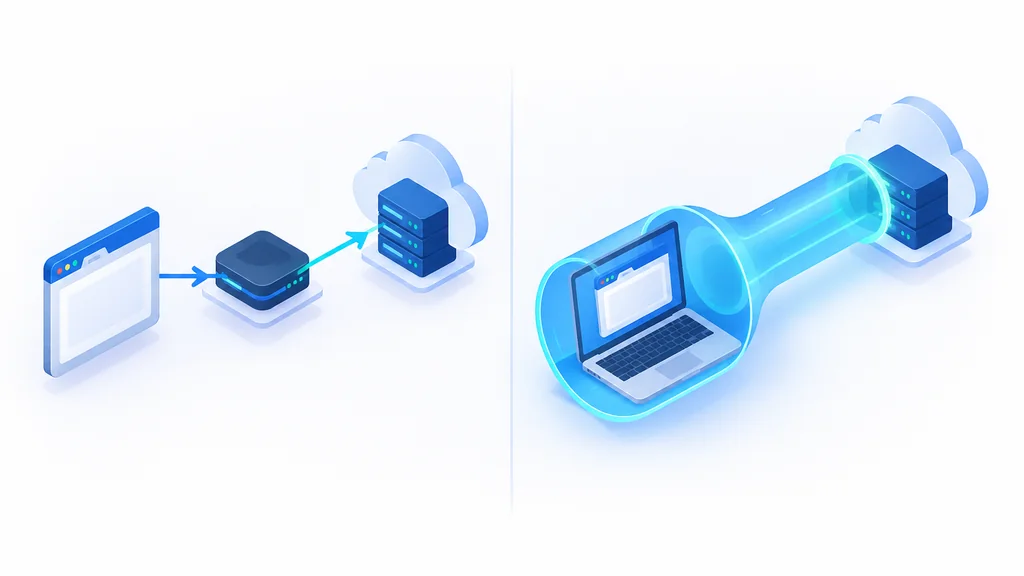
A web unblocker reroutes traffic at the browser level, usually one tab through a proxy server, though a browser-extension version can cover every tab at once, while a VPN typically encrypts and reroutes the traffic your device sends and receives through a tunnel. That scope gap, browser-level versus whole-device, explains almost every practical gap between them. That gap shows up in what they bypass, what they break, and what they expose.
There is a third option most people skip past. Smart DNS sits between the two, and for streaming hardware it can be the easier fit. This piece covers all three, block type by block type, so you can match the tool to the restriction.
What Is an Unblocker (and How Does It Differ From a VPN)?
A web unblocker is a browser-based or paste-the-URL proxy. You paste an address, and that page loads through a server somewhere else; a browser-extension version does the same for every tab in that browser. Either way, traffic outside the browser is not rerouted.
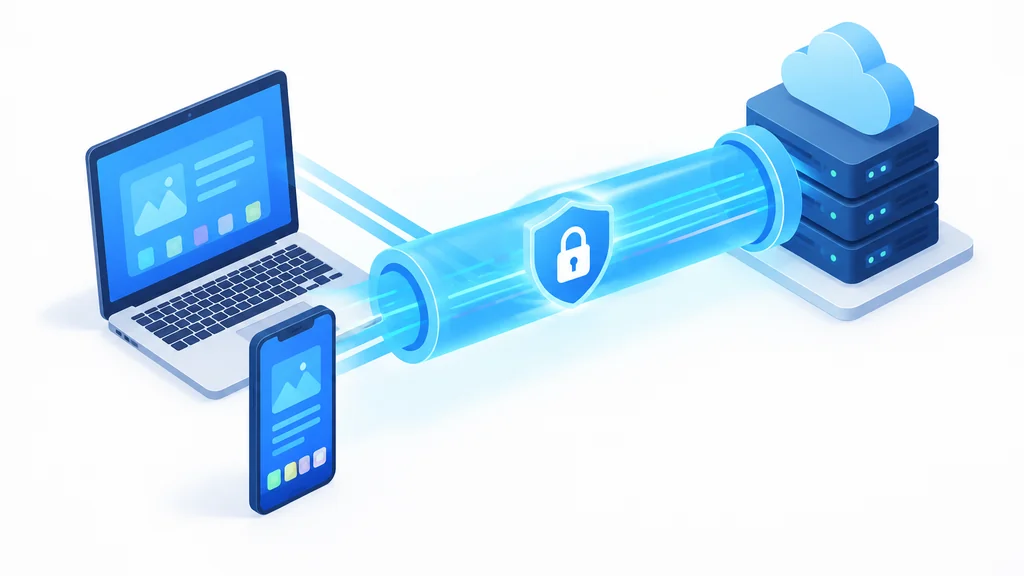
A VPN is an app that, by default, sends your device’s network traffic through an encrypted tunnel to a remote server. Some VPNs offer split tunneling or per-app settings that let chosen apps bypass the tunnel, so actual coverage depends on the configuration.
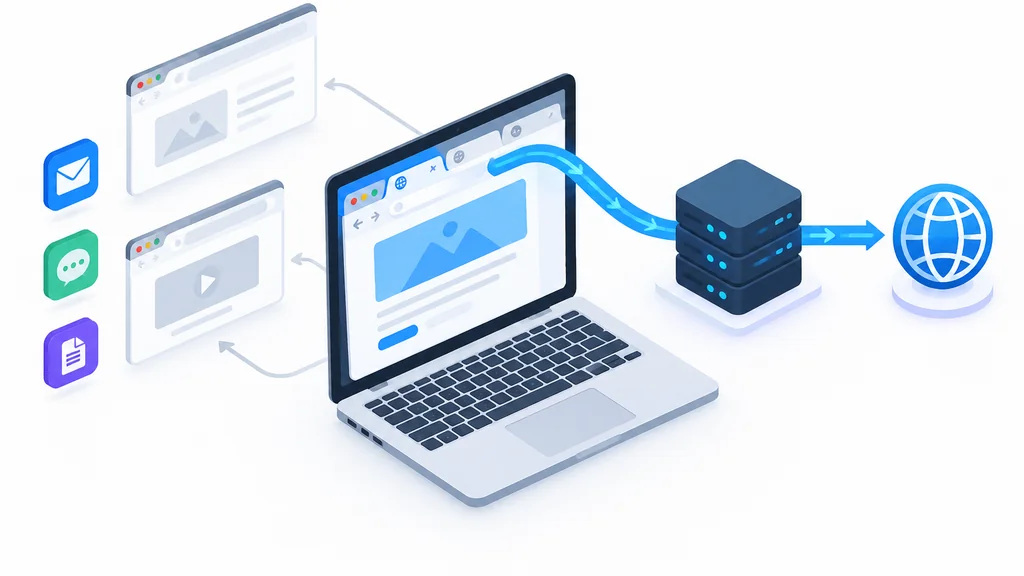
The core distinction is scope, browser level versus device level. Everything else follows from that.
Smart DNS is the third category. It reroutes only the DNS queries that reveal your location, without encrypting anything or hiding your IP address. It gets its own section later because it solves a narrower problem than either of the other two.
Here is the practical version. If you’re on a library computer with nothing installed and you need to read one blocked article, an unblocker is likely the only one of the three you can use. If it’s your own laptop and you’re logging into accounts, the calculus flips entirely.
How Web Unblockers Work: Application-Level Proxying Explained
A web unblocker typically only touches the HTTP and HTTPS requests made from the browser context where it’s active. That is the core mechanism, and it is also the core limitation, though details vary by implementation.
When you paste a URL into a proxy site, your browser sends that request to the proxy’s server. The proxy fetches the page and hands it back to you, rewriting links so they keep routing through the proxy. In the basic setup, your browser doesn’t talk to the target site directly.
What that leaves untouched:
- Background apps on the same machine, including update services, sync clients, and anything running outside the browser
- OS-level DNS queries, which your device still sends to whatever resolver the network handed it
- Any traffic from other tabs, other browsers, or other devices on the same connection
- Video playback on most media pages (covered below)
The result is that your real IP address and your DNS queries for the proxy’s own hostname typically remain visible to the network admin or your ISP, which can reveal that you’re using a proxy. The proxy server resolves DNS queries for the target site itself on your behalf. The proxy shifts where one request appears to come from. You stay visible.
If you’re on a school network where the filter watches DNS query patterns, a web unblocker does nothing about the DNS query your laptop sends for the proxy’s own hostname. That query can reveal that you’re using an unblocker.
How VPNs Work: Device-Level Encrypted Tunnels
A VPN creates a virtual network interface at the operating system level and routes device traffic through it, encrypted between your device and the VPN server. Apps don’t need to know it exists. The OS handles the routing. By default that covers all apps, though split-tunneling settings can exclude some.
The two mainstream protocols differ in how they do this, and the difference shows up in speed.
WireGuard uses a fixed cryptographic suite with no negotiation, using Curve25519 for key exchange, ChaCha20 for encryption, Poly1305 for authentication, and BLAKE2s for hashing. It runs inside the OS kernel, so packets don’t make extra trips across the user-space boundary.
OpenVPN negotiates cipher suites, typically AES-256-GCM, through the OpenSSL/TLS stack, and runs mostly in user space. Every packet crosses the user-space/kernel boundary on the way through.
That architectural gap can translate into measurable throughput differences. WireGuard-based implementations have been measured outperforming OpenVPN by roughly 40 to 60 percent on average in vendor and benchmark tests. Some benchmarks put it at 3 to 4 times faster on the same connection.
NordVPN’s WireGuard-based NordLynx has exceeded 1,000 Mbps in controlled vendor tests, against an OpenVPN ceiling of around 400 Mbps on the same hardware. Those are vendor-reported test results, and your own hardware and route will move the number up or down.
One more factor matters here. ChaCha20 runs faster than AES-256 on devices without AES hardware acceleration, which covers older phones and ARM-based routers.
Block by Block: Which Tool Actually Bypasses Each Restriction
Different blocks fail for different reasons, so the right tool changes with the block type. Here are the four cases that cover most real situations.
School and Workplace Wi-Fi Filters
These filters commonly rely on techniques such as DNS filtering, URL filtering, and port blocking at the network level. A VPN usually wins here, and a web unblocker usually loses.
Web unblockers get caught because the proxy domain itself becomes a known target. Once IT notices traffic to a popular proxy site, that domain goes on the blocklist and the tool stops working for everyone on the network.
A VPN running over port 443, the same port normal HTTPS uses, may get past a basic port-based filter, because that kind of filter does not look beyond the port number. Whether a given school or office network runs deeper inspection varies, so this isn’t a guaranteed bypass.
Geo-Restrictions and Streaming Services
Web unblockers often fail here. Streaming platforms may block IP ranges they associate with proxies, and free proxy servers tend to live on datacenter ranges, so they can get flagged on arrival.
Some premium VPNs work with streaming services and others get blocked, so results vary by provider and by service. If your goal is watching a region-locked show, a web unblocker is the weakest of the three options.
Deep Packet Inspection (DPI) and Government Censorship
DPI-based censorship can detect both plain unblockers and standard VPN protocols. Obfuscated traffic is designed to get past that detection, though no approach is guaranteed.
China’s Great Firewall detects VPN and proxy tunnels by profiling JA3 TLS handshake fingerprints, SNI strings, DNS query patterns, packet timing, and destination-port behavior.
Active probing can identify a new VPN server within minutes of it coming online, alongside the DPI profiling described above.

How obfuscated VPN protocols hide from DPI
Golden Frog scrambles OpenVPN metadata for VyprVPN, and NordVPN’s NordWhisper mimics a plain TLS 1.3 e-commerce-site handshake. Both approaches exist because the detection is real and the standard protocols don’t beat it.
Cloudflare, CAPTCHAs, and Anti-Bot Firewalls
This category catches both proxies and VPNs, which is why it deserves its own heading. Switching from one to the other doesn’t solve it.
Cloudflare Turnstile scores visitors on network reputation and TLS fingerprinting, beyond whether you click a CAPTCHA. According to Cloudflare’s Turnstile documentation, it also runs small non-interactive browser challenges in the background, including proof-of-work and proof-of-space checks. Datacenter IPs and known VPN or proxy exit nodes score poorly by default.
Legitimate VPN and proxy users get challenged or blocked outright, the same as bots do. If you’re hitting endless CAPTCHA loops on a site, your exit IP’s reputation is a likely cause, and switching to a regular proxy or VPN may not fix it.
The “Broken Website” Problem: Why Unblockers Struggle with Modern Pages
Modern sites depend on JavaScript execution, session cookies, cross-origin resource sharing, and WebSockets. A browser-level proxy that only rewrites the page it fetches can run into trouble with these, though exactly what breaks varies by proxy implementation.
Video players are a common example. The page loads through the proxy, but the video stream itself is typically a separate connection, and when the proxy doesn’t rewrite it, playback can stall or fail.
Logins often break for a related reason. When session cookies end up tied to the proxy’s own domain, the site may not see a consistent session, and you get bounced back to the login page.
Interactive forms and anything using WebSockets, including chat widgets and live-update feeds, can fail when those connections aren’t rewritten along with the page.
The pattern is consistent. Web unblockers tend to suit reading one static article and tend to be a poor fit for logging into an account or watching a video. If your task involves a session or a stream, consider something else.
Security and Privacy Hazards: The Real Cost of Free Web Unblockers
Free web proxies carry documented security problems. A 2024 academic longitudinal study published through NDSS MADWeb tracked more than 640,600 free web proxies collected from 11 providers over 30 months.
The findings:
- 4,452 distinct vulnerabilities on the proxies’ IP addresses.
- Including 1,755 vulnerabilities that allow unauthorized remote code execution.
- And 2,036 that enable privilege escalation on the host device.
- 16,923 proxies actively manipulated passing content.
The MADWeb study found the content manipulation but didn’t attribute a specific motive to the proxy operators, so treat any page a free proxy returns as possibly altered.
None of this means every free proxy is malicious. It means the category has a measurable track record, and the cost of using one is paid in ways you can’t see from the browser tab.
Smart DNS: The Overlooked Alternative for Streaming Bypass
Smart DNS reroutes only the DNS queries that reveal geographic location through a proxy server in the target country.
That makes it a streaming and geo tool. It does not encrypt your traffic or mask your real IP address, so it adds no privacy.
What it skips is the encryption step. That suits Smart TVs, game consoles, and streaming boxes that can’t install a VPN app.
Setup happens at the device’s network settings level; there’s no app to install. You change the DNS servers the device uses, and that’s the core of the setup. On a TV or console with no app store access, that can make it the simplest option.
Unblockers vs. VPNs Side-by-Side Comparison
| Factor | Web Unblocker | VPN | Smart DNS |
|---|---|---|---|
| Scope of protection | Browser-level (tab or extension) | Whole device by default | DNS queries only |
| Encryption strength | Often none end to end | Encrypted tunnel for routed traffic | None |
| Setup requirement | None, works in a browser | App install (may need admin rights) | DNS settings change |
| Streaming reliability | Poor, free-proxy IPs often flagged | Varies by provider | Streaming-focused (provider-dependent) |
| Speed impact | Variable, often slow | Some, protocol dependent | Minimal (no encryption overhead) |
| Security and privacy | Documented risks | Provider-dependent | None |
In this comparison: the VPN column alone encrypts the traffic it routes, the Smart DNS column alone adds no encryption overhead, and the unblocker alone requires no installation. Pick the option that matches your actual constraint.
Decision Framework: Which Tool Should You Use?
Match the tool to the machine you’re on and what you’re doing with it. Three cases cover nearly everything.
Use a Web Unblocker When
- You need one-off access on a locked-down computer, like a library terminal or a school lab machine
- You can’t install software and don’t have admin rights
- You’re reading simple, non-sensitive text and nothing else
Don’t log into anything through one, and don’t expect video to play.
Use a VPN When
- You’re on your own laptop or phone
- You’re on public Wi-Fi
- You’re logging into accounts or gaming
- You want ongoing privacy as your everyday default
That makes it a sensible default where you control the machine and want encryption.
Use Smart DNS When
- You’re streaming on a Smart TV or console
- Speed matters more than encryption
- The device can’t install a VPN app at all
If privacy is your actual goal, Smart DNS is the wrong tool.
Bottom Line
Web unblockers are disposable one-tab band-aids. They’re useful for casual, non-sensitive browsing on a machine you don’t control, and that’s the entire extent of what they do well. The documented security record of free proxies makes them a poor choice for anything involving a login.
A VPN is usually the better fit for hardware you own, and the protocol choice inside it (WireGuard-based versus OpenVPN) can affect your speed, depending on your hardware and connection.
Smart DNS is the right tool for one specific job, streaming hardware that can’t run a VPN app. It skips encryption, and that’s the tradeoff working as intended.
Frequently Asked Questions
Can my school or employer tell that I am using a web unblocker?
Often yes. The proxy domain itself is typically visible to the network, and once IT notices traffic to a known proxy site, that domain can go on the blocklist. Your real IP and DNS queries for the proxy’s hostname typically remain visible to the network admin as well, since most unblockers only reroute the tab (or, for a browser extension, the browser) they’re active in. The proxy server resolves the target site’s own DNS lookup for you.
Are free web unblockers safe for online banking or email?
No. An NDSS MADWeb study tracked over 640,600 free proxies and found 4,452 vulnerabilities on their IP addresses. Nearly 17,000 proxies in the study were caught actively manipulating passing content. Use a VPN or your normal connection for anything involving a login.
Why does Netflix block both my VPN and web unblocker?
Streaming platforms may apply IP-reputation checks, and both free proxies and many VPN exit nodes can sit on datacenter ranges. Web unblockers often fail because free proxies frequently end up flagged. Some VPNs get through while others are blocked too, so it depends on the provider and the service.
Is using an unblocker or VPN illegal?
The legality of using a VPN or proxy varies by country. Rules differ widely, and systems like China’s Great Firewall are documented detecting VPN and proxy tunnels. Workplace and school policies can also prohibit them even where the law doesn’t. Check your local rules and your network’s acceptable-use policy.
Can I use both a web unblocker and a VPN at the same time?
You can, but there’s rarely a reason to. A VPN typically already routes your device’s traffic, including the tab the unblocker would handle, so stacking them may add a hop without adding much protection. One case where it can matter is a network that blocks VPN connections yet allows browser proxies, and even then the unblocker’s own limitations still apply.
Related posts