
Table of Contents
Facebook gives you two doors out, and only one of them is permanent. Deactivation hides your profile and keeps everything on file, so a login brings it all back. Deletion starts a countdown, then removes the profile, posts, photos and messages from public view and eventually wipes the data. If you want the account gone for good, you want deletion, and you want to download your archive first.
Decide first: deactivate or delete
Deactivation is the pause button. Your timeline disappears, friends can’t find you, and Messenger goes quiet, but the photos, messages and friend list sit on the servers waiting for you to log back in. Some people use it for a month offline and come back. That is fine if you are unsure. If you plan to keep a public presence through live video, see How to Use Instagram Live to Boost Your Streaming Audience.
Deletion is the shredder. Once the waiting period ends, the account and the content tied to it are scheduled for removal, and there is no undo. You can’t log in to cancel after the deadline passes, so the decision has to be made before you start.
Pick deletion if any of these sound like you. You are done with the platform, you are cleaning up your digital footprint, or you are worried about what an old profile says about you to employers and strangers. Pick deactivation if you only need a break.

What actually gets deleted, and what lingers
The profile, timeline posts, photos you uploaded, and the comments and reactions attached to your name go away. Messages you sent to other people stay in their inboxes, because those copies belong to the recipients. If you logged into other apps and websites with Facebook, those logins stop working, and you may need to set up new passwords on those sites.
Some copies hang around in backups and logs for a while after the account closes. That is normal for any large service and not something you can speed up from your side. The visible profile is what matters to most people, and that goes quickly once the clock runs out.
One more thing worth knowing. Pages you created as the only admin can be taken down with the account, but a page with other admins stays live. If you run a business page, hand over admin rights before you delete, or the page may become orphaned.
Save your data before you pull the plug
Facebook lets you export a copy of your information, and you should do this even if you are certain. Photos, old messages, and a list of your contacts are hard to rebuild from memory. The export can take a while to prepare, so request it a day or two before you plan to delete.
The download arrives as a folder of files you can open on a computer. Go through it and pull out anything you actually want to keep, then store it on a drive or in cloud storage you control. Treat this like clearing out a house before you sell it. You don’t want to realise later that the only copy of a photo was in the account you just destroyed.
The step-by-step deletion
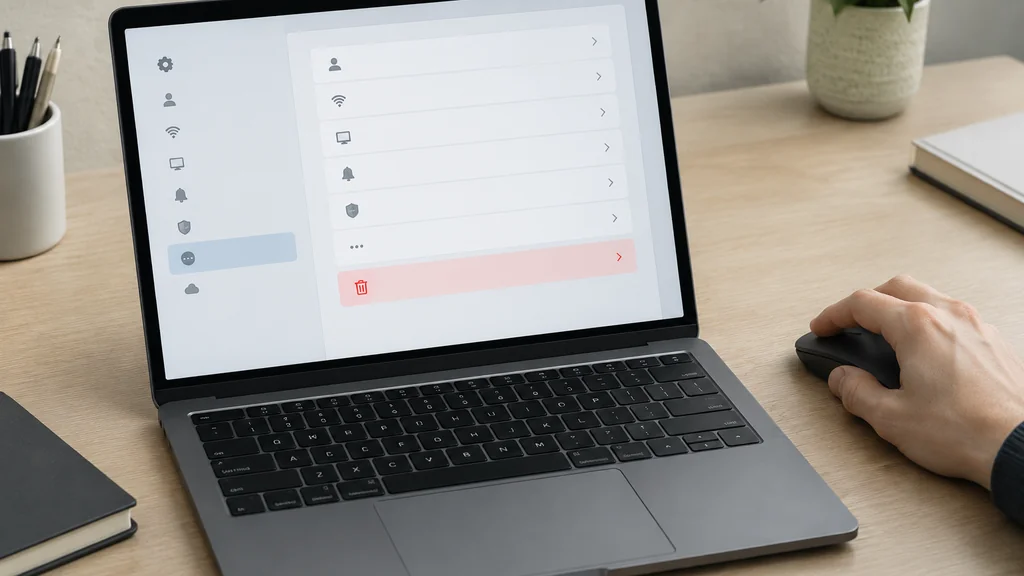
The menu names shift every few years, so look for the words rather than the exact spot. On a phone the path runs through the menu button, then Settings, then Your Facebook Information. On a desktop browser it sits under the account menu in the top corner.
- Log in on a device you trust, ideally a computer where you are already signed in.
- Request your data export and wait for the download to be ready.
- Open Settings and find Your Facebook Information, then look for Deactivation and Deletion.
- Choose Delete Account, not Deactivate, and confirm the choice.
- Enter your password when prompted, and complete any check the site asks for.
- Leave the account alone for the waiting period. Logging in during that window cancels the deletion.
- After the deadline, try logging in once. A failure to recognise the account is your confirmation.
The waiting period is short, roughly a month, and it exists so nobody loses an account to a hacked password or a bad day. Mark the end date on a calendar so you don’t accidentally sign in to check something and reset the clock.
Common mistakes that leave the account alive
The single biggest mistake is logging back in to “check” whether it worked. That login cancels the pending deletion and you start over. If you use Facebook to sign into a game, a shopping site or a music app, that login can count too, so change those passwords or unlink the apps before you begin.
A second mistake is deleting the app instead of the account. Removing the icon from your phone does nothing to the profile. People do this, then wonder why friends still see their old posts.
A third is forgetting linked accounts. Instagram and Messenger can be tied to the same login in some setups, and WhatsApp shares the parent company. Check what else depends on that password before you cut it. If you are also tidying up other parts of your digital life, the same planning habit helps when you work out how to get rid of your old car and transfer the paperwork cleanly.
When to ask someone for help
If the account was hacked and you can’t log in, the normal deletion path is closed to you. Use the account recovery flow first, and be ready to prove your identity with an ID or a trusted contact. This is the one case where waiting and retrying beats rushing.
If a deceased relative’s account needs to come down, the platform has a separate process for memorialised profiles, and it usually asks for documentation. Don’t try to guess the password. Follow the official route.
And if you are deleting because of harassment, report the accounts involved before you go. Once your profile is gone, your ability to report from that identity goes with it. Take screenshots now, and if you run any kind of public page, sort out a fresh business logo and contact route on a platform you control so people can still find you afterward.

A calmer way to leave
You don’t have to vanish in one afternoon. Tell the people you actually talk to where to find you, whether that is a messaging app, email or a phone number. Download the photos that matter. Then delete, and resist the urge to peek.
If you are setting up a new home online, whether a simple page or a full site, the same principle applies. Own the account, keep a copy of your data, and don’t let one login become the only key to your presence. That habit matters just as much when you set up a satellite internet connection and need to keep the admin password somewhere safe.
Facebook Account Deletion FAQ
How long does it take before the account is really gone?
Some backup copies can persist longer on the company’s side, but the public profile disappears once the process completes.
Can I get the account back after I delete it?
Only during the waiting period, and only by logging in, which cancels the request. After that window closes, the account cannot be restored, and the username may eventually be released for someone else to claim.
Does deleting Facebook delete Messenger too?
Your Messenger profile and the messages stored in your account go with it, but copies of conversations you had with other people remain in their inboxes. Those messages belong to both participants, so you cannot remove them from someone else’s device.
What happens to my Instagram if I delete Facebook?
The two can be linked through the same company, but deleting one does not automatically delete the other in every setup. Check the accounts centre in your settings before you start, and set a separate password for anything you want to keep.
Will my friends be told that I deleted my account?
They won’t get a formal notice, but they will notice the profile is gone and that messages no longer reach you. If you want to say goodbye, send a short note to the people who matter before you begin the process.
Related posts